








A good work presentation helps people understand an issue and decide what to do next. It does not need dramatic slides or a perfect speaking voice. It needs a clear purpose, a message that fits the audience and enough evidence to support the point.
Many presentations fail because they try to cover too much. The speaker shares every detail they know, while the audience is still trying to understand the main question. A better approach is to decide what people should know, feel or do after the presentation, then build the content around that outcome.
The GMAC Corporate Recruiters Survey 2026, based on responses from more than 620 recruiters and hiring managers worldwide, found that communication and adaptability remain important, while technology, AI and data analysis skills have gained importance. Its survey chart also reports that 51% of employers who emphasised communication skills selected presentation skills as an important sub-skill. The finding is from GMAC’s employer sample, but it underlines why clear speaking remains valuable.
Decide what the audience needs
Before opening a slide tool, write one sentence that states the purpose. “Explain the new customer handoff and agree who owns each step” is clearer than “Project update”. Then think about the people in the room. Senior leaders may need the decision, cost and risk. A technical team may need the method and evidence. New colleagues may need background and definitions.
Ask what the audience already knows. If people have not seen the data before, explain where it came from. If they know the project, avoid repeating the full history. Use the time to answer the question they need to resolve now.
Check the setting. A five-minute update, a training session and a formal proposal need different levels of detail. If you are presenting online, plan for screen sharing, audio and questions. If you are in a room, check the display and whether people at the back can read the slides.

Build a simple story before you build slides
Give the audience a clear path
A useful structure is: context, issue, evidence, options and recommendation. Start with why the topic matters. Explain the problem or opportunity. Show the facts that help the audience understand it. Compare realistic options. Finish with the action or decision you need.
For example, imagine you are presenting a plan to reduce late customer orders. Begin with the service target and the current result. Show where delays happen. Explain two possible causes. Compare a staffing change with a process change. Recommend a small test and say how you will measure it. This is easier to follow than a slide for every meeting note collected during the project.
Use transitions to guide the audience. Phrases such as “The next chart shows where the delay occurs” or “This brings us to the choice we need to make” help people follow the logic. Do not use a new slide as a substitute for a clear connection between ideas.
Make slides support your message
Each slide should have one main point. Use a title that says what the audience should notice, not only a topic label. “Returns increased after the packaging change” tells a story. “Returns” does not.
Keep text short enough to read while you speak. Use a chart when it makes a comparison easier. Use a process diagram when order matters. Use a photo only when it adds context. Avoid decorative icons, tiny footnotes and crowded tables that people cannot read from a distance.
Check contrast, font size and colour choices. Do not rely on colour alone to show meaning; add labels or patterns so that people with colour-vision differences can follow the chart. Add alt text to meaningful images in shared files where the software supports it. Share a readable version after the meeting if people need to review details.
Explain complex information in plain language
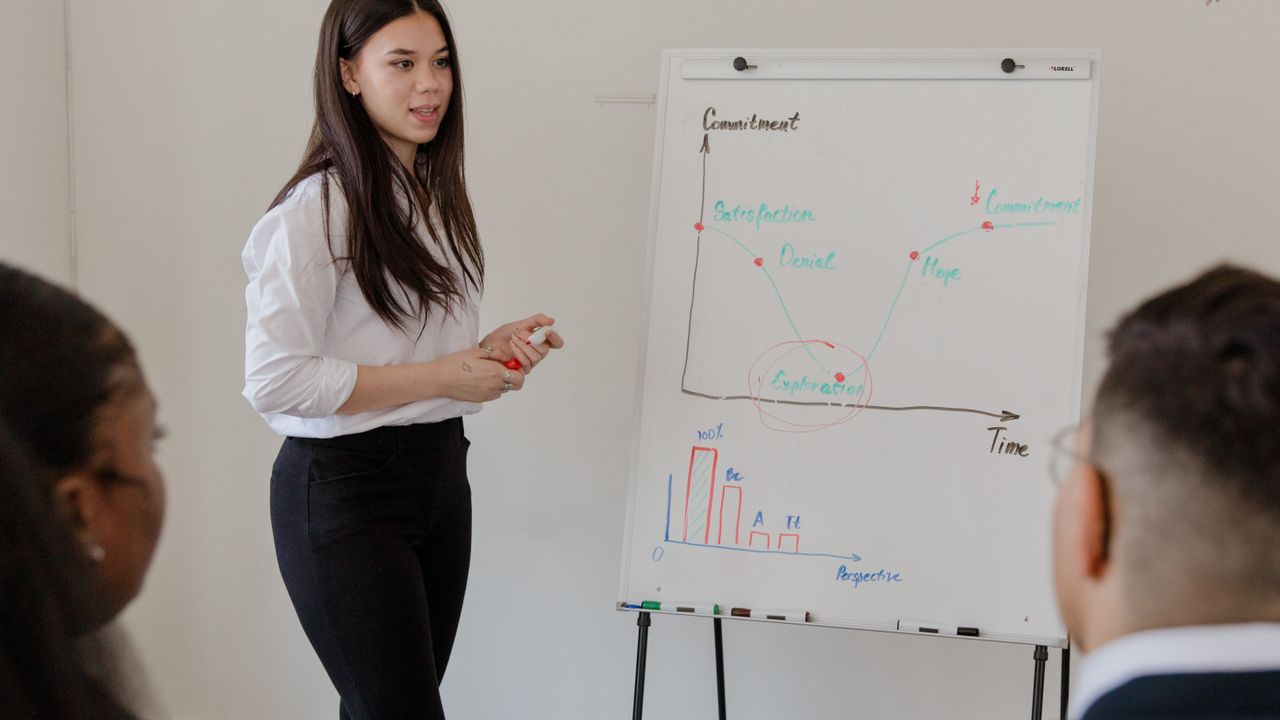
Start with the familiar idea, then introduce the new one. If you are explaining a data model, describe the business question it answers before naming the technical parts. If you are discussing a policy change, explain what will be different for the people who use it.
Use one practical example. A short scenario can show how a process works better than a long definition. Keep the example realistic and make clear whether it is a real case, an anonymised case or an illustration. Never expose private customer or employee details to make a presentation feel more convincing.
Explain necessary terms the first time you use them. Avoid acronyms unless the audience knows them. If a concept needs several steps, break it into parts and check whether the audience is following. A pause can be useful; it gives people time to process the information.
Practise without memorising every word
Rehearse the opening, the transitions and the final request. These parts shape how the presentation feels. You do not need to memorise every sentence. Use brief notes with the main point and the evidence you want to mention. This helps you sound natural while keeping the structure in view.
Time your presentation. If you have ten minutes, do not prepare fifteen minutes of content and hope to speak faster. Leave time for questions if the meeting needs them. If the material is too large, move supporting details into an appendix or a handout.
Practise with a colleague who can tell you where the message is unclear. Ask them to summarise the recommendation after listening. If they cannot, the structure may need work. Record yourself if that helps you notice speed, filler words or slides that are difficult to read.

Speak clearly and manage nerves
Many people feel nervous before presenting. A little preparation can help. Arrive early, test the equipment and keep water nearby. Take a slow breath before you begin. Speak at a pace that lets people follow. Pause after an important point instead of filling every silence.
If you lose your place, look at your notes and return to the main message. You can say, “Let me bring this back to the decision we need.” If a slide fails, explain the point without it or move to a backup copy. The audience is usually more interested in the idea than in perfect delivery.
Do not apologise repeatedly for being nervous. Focus on helping the audience. You are there because you have information that can help them understand or decide something. That purpose can make the task feel less personal.
Handle questions with care
Listen to the full question before answering. If it is unclear, ask the person to explain what they mean. Give a direct answer first, then add the reason. If you do not know, say so and explain how you will check. Guessing can damage trust, especially when the topic involves cost, safety or compliance.
Some questions may challenge your recommendation. Treat them as a chance to test the idea. Ask what concern sits behind the question. You may discover that the audience has information you did not have. If the discussion moves away from the purpose, offer to follow up separately.
When a question needs a detailed answer, do not force it into a short response. State what you know, what remains uncertain and who can provide the next detail. Record any action that comes from the discussion.

Adapt for online and hybrid presentations
Online audiences may be looking at a small screen or joining from a noisy place. Use larger text, a clear microphone and a simple slide layout. Tell people whether they can ask questions in chat or should wait until the end. Repeat questions before answering if not everyone can hear the speaker.
Do not assume that silence means agreement. Invite input with a specific prompt, such as “Which of these two risks should we address first?” Give people time to respond. In a hybrid room, include remote participants deliberately. Ask someone to watch the chat and repeat comments from the room so that everyone can take part.
Send materials in advance when people need time to review detailed information. If the content is sensitive, use approved sharing tools and follow your organisation’s access rules. Do not record a meeting without the required consent and policy checks.
Improve after every presentation
After the meeting, ask whether the audience understood the main point and whether the next action is clear. Review the questions people asked. If several people were confused by the same chart, change it. If the discussion showed that you missed a key concern, include it next time.
Save a clean version of your slides and note what you would change. Do not reuse an old deck without checking dates, data and context. A presentation that worked for one group may not suit another audience. Update examples and evidence before sharing again.
Conclusion: make the message easy to follow
Strong presentation skills come from clear thinking and practice. Know the audience, build a simple story, use slides to support rather than replace your words and explain complex ideas with plain language. Rehearse the key points and answer questions honestly.
The goal is not to impress people with how much you know. It is to help them understand what matters and make a sound decision. When the message is clear, the presentation has done its job.